Change of Name on GEPCO Bill
If your new home comes with an electricity meter, make sure the bill reflects your name. Many people face issues later because the previous owner’s name stays on the bill. To avoid any problems, updating the name is both important and required by law.
When you buy a property in Pakistan, you must also transfer all utility connections to your own name. If you’ve bought a house or apartment recently, don’t forget to get the GEPCO electricity connection transferred to your own name.
Doing this makes sure all your electricity bills come straight to you without any confusion or mistakes.
If you don’t transfer it, you may face issues like wrong billing or disputes with the previous owner. Once the connection is updated, managing your electricity payments becomes much easier. It also gives you confidence knowing the connection is legally yours. That’s why every new property owner should complete this process on time to avoid problems later This will make sure you don’t face any difficulty.
Why Is Name Change Important?
Having the correct name on the GEPCO bill saves you from many issues:
1. Accuracy
With the right name on the bill, the chances of billing mistakes, duplicate bills, or verification problems become very low.
2. Peace of Mind
You know that the bill you receive truly belongs to you.
3. Identity Verification
The correct name on the bill acts as legal proof of electricity connection and can be used for future documentation.
Name Change Tips
- Write your name accurately — even a small mistake can create problems later.
- Check your form and documents carefully before submitting.
Make sure your CNIC, father/husband’s name, mobile number, and address are correctly filled.
Change of Name on GEPCO bill Through ENC System
You can change the name on your GEPCO bill easily through the online ENC (Electricity New Connection) portal. This system handles services like load change, tariff change, and name correction.
Steps:
- Open your browser and go to the ENC website.
- Click on the “Change” button.
- Select “Change of Name” from the application type.
- Enter the following details:
- Reference Number
- Applicant’s CNIC
- Mobile Number
- Reference Number
- Enter the Current Name and Father/Husband Name (as shown on the bill).
- Enter the New Name and its father/husband name.
- Attach the required documents:
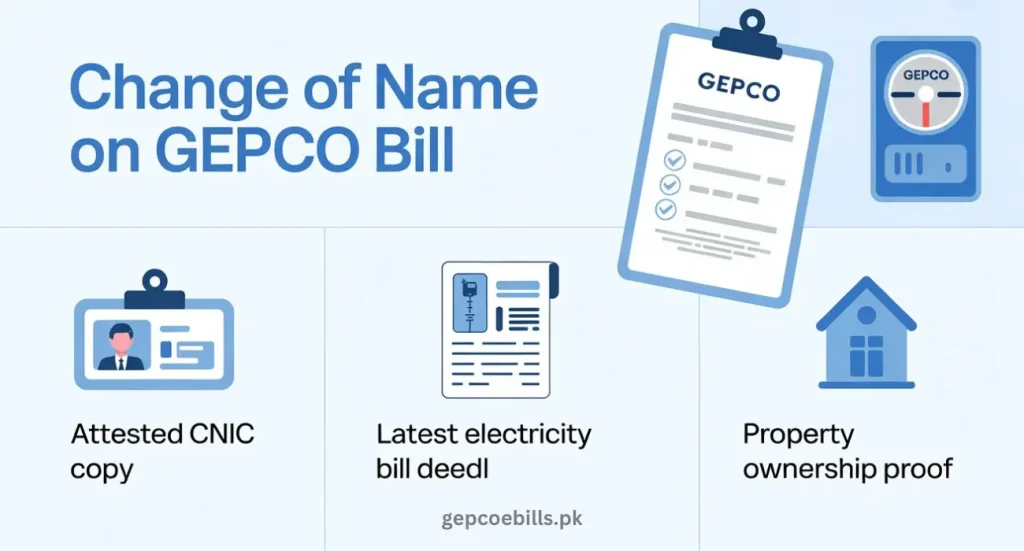
- Attested copy of applicant’s CNIC
- Copy of latest electricity bill
- Proof of property ownership
- Attested copy of applicant’s CNIC
- Agree to the Terms and Conditions and click Submit.
This online process is very easy and can be completed from home.
Offline Method for Change of Name on GEPCO Bill
If you prefer the manual method, you can visit your nearest GEPCO Customer Service Center.
Steps:
- Get the name transfer form from the GEPCO office.
- Carefully fill out the form:
- Applicant’s Name
- CNIC Number
- Full Address
- Mobile Number
- Applicant’s Name
- Attach the following documents:
- Attested CNIC copy
- Latest GEPCO bill
- Proof of property ownership
- Attested CNIC copy
Submit the form.
After a few days, the name will be updated.
Additional Information According to GEPCO Guidelines
- GEPCO usually charges a small fee depending on the application type.
- Processing time depends on workload.
- Make sure all documents are clear and properly scanned.
- Any mistake in the documents may delay your application.